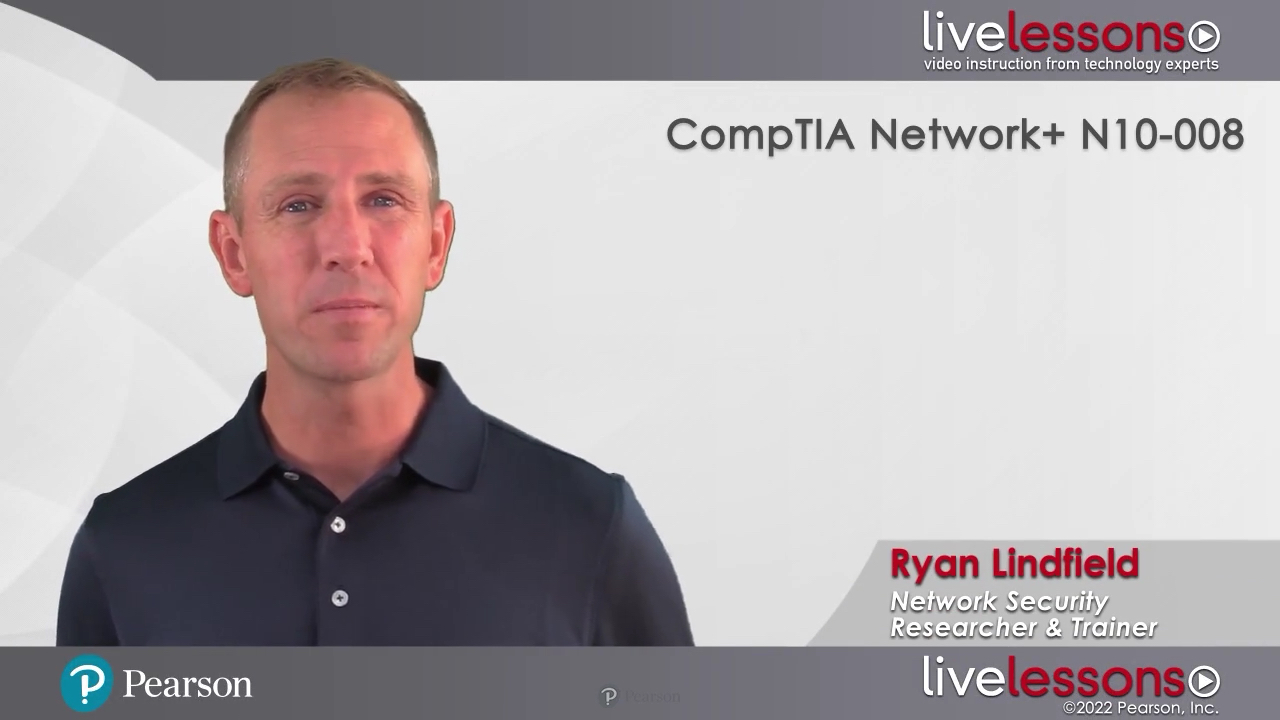
CompTIA Network+ N10-008 Complete Video Course (Video Training)
- By Ryan Lindfield
- Published Nov 2, 2021 by Pearson IT Certification.
Online Video
- Your Price: $799.99
- List Price: $999.99
- About this video
Video accessible from your Account page after purchase.
Register your product to gain access to bonus material or receive a coupon.
Special Offer: Save 70% on CompTIA Network N10-008 Complete Video Course when you use discount code NETWORKPLUS during checkout.
* Discount code NETWORKPLUS confers a 70% discount on featured video courses. Discount not valid on books, eBooks, "Best Value" or "Additional Savings book + eBook bundle, practice tests, training courses, Rough Cuts, Safari Books Online, or simulator software. Discount code may not be combined with any other offer and is not redeemable for cash. Discount offer expires 11:59 p.m. EST December 31, 2023. Offer subject to change.
Description
- Copyright 2022
- Edition: 1st
- Online Video
- ISBN-10: 0-13-750741-0
- ISBN-13: 978-0-13-750741-2
17+ Hours of Video Instruction
Overview
CompTIA Network+ N10-008 Complete Video Course is a comprehensive training course that brings CompTIA Network+ exam topics to life through the use of real-world demonstrations, live instruction, and configurations, making learning these foundational networking topics easy and fun.
Expert instructor Ryan Lindfield walks you through the full range of topics on the CompTIA Network+ N10-008 exam, including protocol reference models (network components, network topologies, network services, WAN technologies, networking cables, and connectors), Ethernet switch operation, wireless LAN, IPv4 network addressing, IPv6 networks, IP routing, unified communications fundamentals, virtualization fundamentals, network security, network maintenance, and network troubleshooting. This unique product contains multiple types of video presentations, including live instructor whiteboarding, real-world demonstrations, and hands-on router and switch CLI configuration and troubleshooting in real lab environments, allowing you to learn both the concepts and the hands-on application.
The 200+ videos contained in this product provide you more than 17 hours of instruction. Modules are divided into easy to digest lessons and conclude with interactive quizzes to help assess your knowledge. The product concludes with a series of lessons that give you valuable advice to help prepare for the actual exam.
Designed to take you inside Network+ concepts in a unique and interactive way, CompTIA Network+ N10-008 Complete Video Course is guaranteed to help you master the foundational networking topics that will help you succeed on the exam and on the job.
What You Will Learn
- Fundamental networking concepts, such as protocol reference models, network devices and theory, network topologies, and network components
- Network services including GRE, IPsec, DHCP, DNS, Voice over IP, SIP, NTP, NAT, software defined networking, FTP, SNMP, Netflow, RADIUS, TACACS+, Syslog, and more
- WAN technologies including, cellular, Frame Relay, ISDN, DSL, ATM, PPP, MPLS, Metro-Ethernet, and satellite
- How to work with different network cables and connectors including copper and fiber
- Ethernet switch operation including STP, VLAN configuration, trunking, link aggregation, distributed switching, and more
- Wireless LAN standards, antennas, components, security, site surveying, router setup, and troubleshooting
- IPv4 addressing and subnetting, and IPv6 networking basics
- Routing fundamentals including RIP, OSPF, EIGRP, and BGP routing protocols; route redistribution; intelligent forwarding operations; and gateway redundancy
- Unified communications, QoS, classification and marking, congestion management, traffic shaping and policing, SLAs, and more
- Virtualization fundamentals including hypervisor types, virtual networking, virtual appliances, server and storage infrastructure, cloud computing, Docker, IoT, and VPS
- Network security attacks, vulnerabilities, policies, defenses, and counter-measures
- Network monitoring tools and analysis, configuration management, and best practices
- Network troubleshooting including the 7-step troubleshooting method; Windows, Linux, and MacOS troubleshooting; common LAN issues; and troubleshooting wireless networks and network services
Who Should Take This Course
- Anyone interested in obtaining their CompTIA Network+ certification or anyone interested in learning basic networking concepts, configuration, and troubleshooting skills.
Course Requirements
- Although this complete video training product does not assume any prior knowledge of network administration or configuration, you should understand the fundamental purposes of a network and be comfortable working with a computer.
Lesson Descriptions
***to come
About Pearson Video Training
Pearson publishes expert-led video tutorials covering a wide selection of technology topics designed to teach you the skills you need to succeed. These professional and personal technology videos feature world-leading author instructors published by your trusted technology brands: Addison-Wesley, Cisco Press, Pearson IT Certification, Sams, and Que. Topics include: IT Certification, Network Security, Cisco Technology, Programming, Web Development, Mobile Development, and more. Learn more about Pearson Video training at http://www.informit.com/video.
Video Lessons are available for download for offline viewing within the streaming format. Look for the green arrow in each lesson.
Sample Content
Table of Contents
Introduction
Course Intro
Part 1: Networking Foundational Concepts
Lesson 1 Networking: A structured approach
1.1 OSI Model
1.2 DoD Model
1.3 Layer 1
1.4 Layer 2
1.5 Layer 3
1.6 Layer 4
1.7 common ports & services
1.8 Layers 5-7
1.9 Authentication & Integrity
1.10 Network Foundation Review
Quiz Lesson 1 Quiz
Lesson 2 Network Components
2.1 Hubs & Switches
2.2 Routers & Modems
2.3 Wireless LANs
2.4 Firewalls
2.5 Intrusion Detection / Intrusion Prevention
2.6 Load Balancers
2.7 VPN Concentrator
2.8 Storage Controller
2.9 Additional devices
2.10 Network Component Review
Quiz Lesson 2 Quiz
Lesson 3 Network Topologies
3.1 LAN
3.2 WLAN
3.3 MAN
3.4 WAN
3.5 VLAN
3.6 CAN
3.7 PAN
3.8 Star, Hub, Mesh, Bus
3.9 Peer-to-peer, Point-to-point, and Beyond
3.10 Virtual Private Networks
3.11 Site-to-site VPN
3.12 Remote Access VPN
3.13 Split Tunneling vs. Full Tunneling
3.14 Dynamic Multipoint Virtual Private Network
3.15 Hardware VPN Clients
3.16 Network Topology Review
Quiz Lesson 3 Quiz
Lesson 4 Network Services
4.1 IP
4.2 TCP
4.3 UDP
4.4 ICMP
4.5 GRE
4.6 IPsec
4.7 Dynamic Host Configuration Protocol
4.8 Domain Name Service
4.9 DNSCrypt
4.10 DNSSec
4.11 Voice Over IP Intro
4.12 Session Initiation Protocol
4.13 Network Time Protocol
4.14 Network Address Translation
4.15 Software Defined Networking
4.16 File Transfer Protocol / SFTP/ TFTP
4.17 Telnet and Secure Shell (SSH)
4.18 SNMP
4.19 Netflow & IPFIX
4.20 RADIUS
4.21 TACACS+
4.22 Syslog
4.23 LDAP(S)
4.24 POP3(S) / IMAP(S)
4.25 SMTP(S)
4.26 SQL / SQLnet / MySQL
4.27 VNC / RDP
4.28 HTTP (S)
4.29 Network Services Review
Quiz Lesson 4 Quiz
Lesson 5: WAN Technologies
5.1 Packet Switching Vs Circuit switching
5.2 Cellular Technologies
5.3 Frame Relay / ISDN / DSL
5.4 ATM
5.5 Cable Modem
5.6 Metro-Ethernet
5.7 MPLS
5.8 Satellite
5.9 WAN technology review
Quiz Lesson 5 Quiz
Lesson 6 Networking cables and connectors
6.1 Copper Cable
6.2 Fiber Cable
6.3 Copper Connectors
6.4 Fiber Connectors
6.5 Crossover Cables
6.6 Cabling Tools
6.7 Termination Points and EIA-TIA Wiring Standards
6.8 Media Converters
6.9 Cabling & Connector review
Quiz Lesson 6 Quiz
Part 2: LAN Technologies
Lesson 7 Ethernet Switch Operation
7.1 Switch Forwarding Logic (Unicast / Multicast/ Broadcast)
7.2 Port Mirroring for Traffic Analysis
7.3 Broadcast Storms / Loop Prevention
7.4 Spanning Tree Protocol
7.5 VLAN Configuration
7.6 Link Aggregation
7.7 Trunking
7.8 Spanning Tree Protocol Advanced
7.9 STP Performance Tuning and Troubleshooting
7.10 Distributed Switching
Quiz Lesson 7 Quiz
Lesson 8 Wireless LAN
8.1 Wireless LAN Standards
8.2 RF Primer
8.3 Wireless LAN Antennas
8.4 Wireless LAN Components
8.5 Wireless LAN Security
8.6 Wireless Site Survey
8.7 Wireless Router Setup
8.8 Wireless Troubleshooting
8.9 Wireless Review
Quiz Lesson 8 Quiz
Part 3: Networking Addresses and Forwarding Mechanics
Lesson 9 IPv4 Network Addressing
9.1 Binary Introduction
9.2 Hexadecimal Introduction
9.3 MAC Addresses
9.4 IPv4 Addresses
9.5 Private Addresses
9.6 Public Addresses
9.7 NAT / PAT / Overload
9.8 Subnetting Introduction
9.9 Subnetting Operations
9.10 Subnetting Exercise A
9.11 Subnetting Exercise B
9.12 Subnetting Exercise C
9.13 Subnetting Exercise D
9.14 Subnetting Exercise E
9.15 Subnetting Exercise F
9.16 Classless Interdomain Routing (CIDR)
9.17 Loopback Addressing
9.18 Multicast
9.19 Directed Broadcast
9.20 Anycast
9.21 IP Address Management (IPAM)
9.22 IPV4 Network Review
Quiz Lesson 9 Quiz
Lesson 10 IPv6 Networks
10.1 IPv6 Address Format
10.2 Link Local Address
10.3 Global Unicast
10.4 IPv6 Address Planning
10.5 Stateless Address Auto-Configuration
10.6 EUI-64
10.7 ICMP in IPv6
10.7 Hierarchical Routing
10.8 Coexisting with IPv4
10.9 Dual Stack
10.10 IPv6 Tunneling
10.11 IPv6 Security
10.12 IPv6 in the Real World
10.13 IPv6 Review
Quiz Lesson 10 Quiz
Lesson 11 IP Routing
11.1 Intelligent Forwarding Operations
11.2 Gateway Redundancy
11.3 Routing Information Protocol (RIP)
11.4 Open Shortest Path First (OSPF): Introduction
11.5 OSPF Areas
11.6 Enhanced Interior Gateway Routing Protocol (EIGRP)
11.7 Border Gateway Protocol (BGP): Introduction
11.8 Interior Border Gateway Protocol (iBGP)
11.9 Exterior Border Gateway Protocol (eBGP)
11.10 Route Redistribution
Quiz Lesson 11 Quiz
Part 4: Advanced Networking Concepts
Lesson 12 Unified Communications Fundamentals
12.1 Unified Communications Introduction
12.2 UC Challenges
12.3 QoS: Introduction
12.4 Classification and Marking
12.5 Congestion Management
12.6 Traffic Shaping and Policing
12.7 Service Level Agreements
12.8 UC Products and Solutions
12.9 VoIP Suite of Protocols
12.10 UC Review
Quiz Lesson 12 Quiz
Lesson 13 Virtualization Fundamentals
13.1 Introduction to Virtual Machines
13.2 Types of Hypervisor
13.3 Virtual Networking
13.4 Virtual Appliances
13.5 Server Infrastructure Primer
13.6 Storage Infrastructure Primer
13.7 Cloud Computing
13.8 Docker
13.9 Internet of Things (IoT)
13.10 Virtual Private Server (VPS)
13.11 Virtualization Review
Quiz Lesson 13 Quiz
Lesson 14 Network Security
14.1 A Layered Approach to Security
14.2 Unauthorized Access
14.3 DoS Attacks
14.4 DDoS Attacks
14.5 Access Control Lists
14.6 Wireless Attacks
14.7 Layer 1 Attacks
14.8 Layer 2 Attacks
14.9 Layer 3 Attacks
14.10 Layer 4 Attacks
14.11 Wireless Network Defense
14.12 Layer 1 Defense
14.13 Layer 2 Defense
14.14 Layer 3 Defense
14.15 Layer 4 Defense
14.16 Authentication, Authorization, and Accounting (AAA)
14.17 Remote Authentication Dial-In User Service (RADIUS)
14.18 802.1x
14.19 Control Plane Policing
14.20 Human Security
14.21 Network Security Review
Quiz Lesson 14 Quiz
Part 5: Network Maintenance
Lesson 15 Network Maintenance
15.1 Secure Management: Introduction
15.2 Out of Band Management
15.3 SSH: Introduction
15.4 SSH Configuration
15.5 SSL/ TLS: Introduction
15.6 Logging
15.7 Network Monitoring
15.8 NetFlow and IPFIX
15.9 Wireless Monitoring
15.10 Remote Access Methods
15.11 Environment Monitoring
15.12 Plans and Procedures
15.13 Documentation
15.14 Agreements
15.15 Asset Disposal
15.16 Network Maintenance Review
Quiz Lesson 15 Quiz
Lesson 16 Network Troubleshooting
16.1 7-Step Troubleshooting
16.2 Windows Troubleshooting
16.3 Linux Troubleshooting
16.4 OSX Troubleshooting
16.5 Common LAN Issues
16.6 Troubleshooting Wireless Networks
16.7 Troubleshooting Network Services
16.8 Network Troubleshooting Review
Quiz Lesson 16 Quiz
Final Preparation
Study Tips
Test Prep
Exam Process
What's Next?
More Information